
Why WordPress Plugins Matter for Travel Bloggers
What Are WordPress Plugins? (Promise, It’s Not Techy!)
Hey there, fellow travel bloggers! Let me tell you about plugins in the simplest way possible – they’re like those amazing travel apps on your phone, but for your blog.
You know how you download Google Translate before visiting Turkey? (Because trust me, “Where’s the bathroom?” becomes very important vocabulary!) Plugins work the same way – they add superpowers to your WordPress site.
The Reality Check Nobody Warns You About
Here’s what happened when I launched Simplitty in April 2023: my gorgeous blog was taking forever to load. I’m talking about watching-paint-dry slow.
Picture this: excited readers clicking on my solo travel tips for introverts, then bouncing away faster than I did from that overly aggressive carpet seller in Istanbul. Not exactly the engagement I was hoping for!
The struggle was real:
- My photo galleries crashed slower than my Turkish language skills
- Google couldn’t find my content (apparently “amazing hidden gems” isn’t SEO-friendly – who knew?)
- My site looked like it was stuck in 2016
Why Plugins Became My Blog’s Best Friends
Think of plugins as your personal travel assistants. They handle all the boring technical stuff while you focus on sharing those incredible travel moments that make people want to book flights immediately.
Since switching to Blocksy theme with the right plugins, my blog went from “why won’t this load?” to “wow, this is actually helpful!” The difference? Night and day.
Your No-Overwhelm Game Plan
I’ve organized everything into simple categories because nobody needs to feel like they’re solving a Rubik’s cube just to improve their blog. Start with the basics (images, speed, SEO), then add more when you’re ready.
Golden rule: Don’t install everything at once. I learned this the hard way – it’s like packing for a weekend trip to Vienna and bringing your entire wardrobe!
Ready to give your travel blog the upgrade it deserves? Let’s dive into the plugins that actually make a difference! ✈️
Image & Photo Optimization Plugins
These plugins help compress your travel photos, load them faster, and boost visual engagement (especially on Pinterest).
Let me share something embarrassing: my first travel post included a 5MB photo of the Hagia Sophia that took longer to load than my actual visit there! 😅 If you’re sharing those gorgeous sunset shots from Santorini or that perfect latte art from a Vienna café, these plugins will save your readers (and your SEO rankings) from the dreaded loading wheel of death.
Smush
What It Does
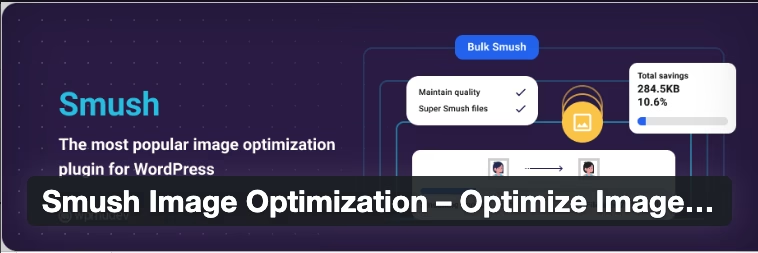
Smush automatically compresses your images without losing quality, essentially giving your photos a digital diet. It works behind the scenes, optimizing every image you upload while keeping those stunning travel memories crystal clear.
Why Travel Bloggers Need It
Travel blogs are basically photo galleries with words sprinkled in! When you’re sharing multiple shots from that incredible Prague castle or a step-by-step itinerary with map screenshots, file sizes add up quickly. Smush keeps your site loading fast while maintaining those Instagram-worthy visuals that make readers want to book their next trip.
Nicole’s Tip / My Experience
I’ve been using Smush since my early blogging days, and it’s like having a personal photo assistant. The bulk optimization feature saved me hours when I migrated my old Turkey travel photos to Simplitty.
Pros
- Automatically optimizes images as you upload them
- Bulk optimization for existing photos
- Works with all image formats (JPEG, PNG, WebP)
- Integrates seamlessly with WordPress media library
- Free version handles most travel blog needs
Cons
- Free version has a 5MB file limit per image
- Pro features require subscription
- Can occasionally over-compress artistic shots
Ideal For
Great for: Beginner travel bloggers, photo-heavy itineraries, Pinterest optimization.
Skip if: You’re already using another compression tool or rarely post photos.
Free or Paid?
FREE with premium options starting at $6/month for Pro features
Where to Get It
Modern Image Formats (optional)

What It Does
This plugin automatically converts your images to modern formats like WebP and AVIF, which are significantly smaller than traditional JPEG files while maintaining the same visual quality.
Why Travel Bloggers Need It
Modern formats can reduce image file sizes by up to 50% compared to JPEGs – that’s the difference between a reader staying to read your complete Vienna itinerary or clicking away because it’s taking forever to load those stunning Schönbrunn Palace photos.
Nicole’s Tip / My Experience
I recently tested this on my Austria travel posts, and the speed improvement was noticeable. However, make sure your hosting supports these formats first.
Pros
- Dramatic file size reduction without quality loss
- Automatic format conversion
- Works with existing images
- Supports multiple modern formats
- Completely free
Cons
- Requires server support for WebP/AVIF
- Some older browsers may not display images properly
- Can conflict with certain caching plugins
Ideal For
Great for: Tech-savvy bloggers, photo-heavy travel sites, speed optimization enthusiasts.
Skip if: You’re not comfortable with technical setup or using budget hosting.
Free or Paid?
100% FREE
Where to Get It
Regenerate Thumbnails

What It Does
This plugin recreates all your image thumbnails in different sizes, ensuring your photos display perfectly across your theme and various devices. Think of it as a makeover for your existing photo library.
Why Travel Bloggers Need It
When you change themes (like I did from Blossom Travel Pro to Blocksy), your old images might look awkward or pixelated. This plugin fixes those display issues, making sure your Turkish hidden gems photos look gorgeous whether someone’s viewing on desktop or mobile.
Nicole’s Tip / My Experience
This was a lifesaver during my theme transition – all my Turkey travel photos suddenly looked professional again instead of stretched and blurry.
Pros
- Fixes image display issues after theme changes
- Works with all existing media
- Simple one-click solution
- Completely free
- No ongoing maintenance needed
Cons
- Only needed for specific situations
- Can take time to process large image libraries
- Not necessary for new blogs
Ideal For
Great for: Bloggers changing themes, fixing display issues, migrating from other platforms.
Skip if: You’re happy with current image display or starting fresh.
Free or Paid?
100% FREE
Where to Get It
Weblizar Pin It Button
What It Does
Adds Pinterest-friendly “Pin It” buttons to your images, making it super easy for readers to save and share your travel photos on Pinterest. It’s like having a personal Pinterest marketing assistant built into your blog.
Why Travel Bloggers Need It
Pinterest is a goldmine for travel bloggers! When readers can easily pin your dreamy Santorini sunset or that perfect packing list infographic, you’re essentially getting free marketing. Plus, Pinterest drives serious traffic – some of my solo travel tips for introverts get many views monthly thanks to Pinterest sharing.
Nicole’s Tip / My Experience
I installed this WordPress plugin after I watched on YouTube some videos mentioning how to get traffic from Pinterest. I understood how important it can be for Simplitty. Now my photos can be pinned easily.
Pros
- Increases social sharing and blog traffic
- Easy Pinterest optimization
- Customizable button styles
- Works with all image types
- Mobile-friendly design
Cons
- Only useful if you’re active on Pinterest
- May slow down page loading slightly
- Can look cluttered if overused
Ideal For
Great for: Pinterest-active bloggers, visual content creators, traffic growth focused.
Skip if: You don’t use Pinterest or prefer minimal design.
Free or Paid?
FREE with premium features available
Where to Get It
Remember, you don’t need all of these plugins right away! Start with Smush for basic optimization, then add others as your blog grows. The key is keeping your gorgeous travel photos loading fast while maintaining that visual appeal that makes readers want to pack their bags immediately! ✈️
Travel Maps & Itinerary Plugins
Show off your travel routes, destinations, or tips using interactive maps that fit right into your posts.
Here’s a confession: I used to describe locations with vague directions like “that charming little street near the castle.” 🤦♀️ Not exactly helpful when someone’s trying to recreate your perfect Vienna coffee crawl! Interactive maps may change everything – your readers can actually find those hidden gems you’re always raving about.
Picture this: instead of writing “the restaurant is somewhere between the Blue Mosque and Galata Tower,” you can drop a pin exactly where that life-changing kebab place is located. Your readers will thank you, and you’ll look like the organized travel expert you’re becoming!
MapGeo
What It Does
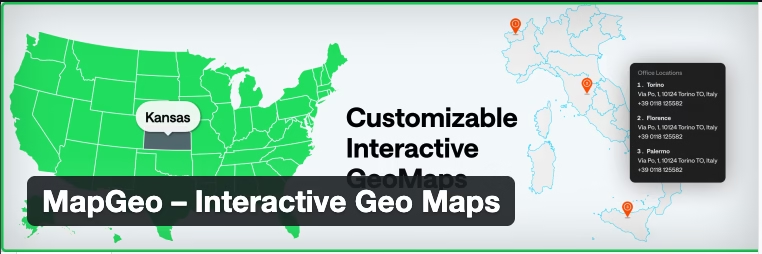
MapGeo creates beautiful, interactive maps that you can embed directly into your blog posts. You can add custom markers, routes, and even group locations by categories – perfect for showing off your complete Istanbul food tour or marking every museum on your Prague itinerary.
Why Travel Bloggers Need It
Remember trying to follow someone’s travel advice with descriptions like “walk past the fountain, turn left at the church”? Your readers deserve better! Interactive maps turn your travel posts into actionable guides that people can actually follow.
Nicole’s Tip / My Experience
I’ve been using MapGeo on a very basic level. I mean I usually add a country and mark cities or regions. I’m still learning it. What is more a free version is always limited.
Pros
- Creates professional-looking interactive maps
- Supports multiple map styles and providers
- Custom markers for different location types
- Mobile-responsive design
- Easy shortcode integration
Cons
- Learning curve for complex maps
- Free version has limited features
- May require some technical setup
Ideal For
Great for: Detailed itineraries, city guides, multi-destination trips.
Skip if: You only occasionally mention locations or prefer simple text descriptions.
Free or Paid?
FREE with premium features starting at $49/year
Where to Get It
Travelers’ Map
What It Does
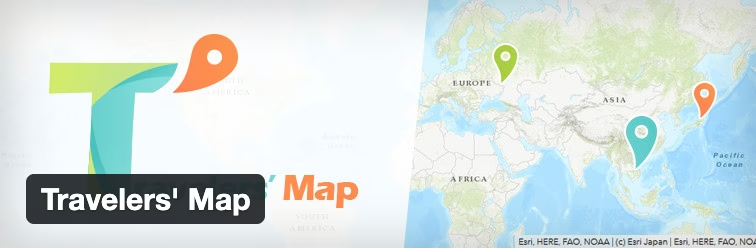
This plugin creates a visual world map showing all the countries and places you’ve visited, complete with photos and travel stories. It’s like having a digital passport stamp collection that your readers can explore.
Why Travel Bloggers Need It
There’s something magical about seeing someone’s travel journey laid out on a world map! It builds instant credibility (yes, I really have been to all those Turkish coastal towns) and gives readers a visual story of your adventures. Plus, it’s incredibly satisfying to watch your map fill up with new destinations – like collecting passport stamps but prettier!
Nicole’s Tip / My Experience
I love how this plugin showcases word’s adventures. It’s particularly great for showing the scope of solo female travel experience without overwhelming readers with a massive list.
Pros
- Beautiful visual representation of travels
- Links to related blog posts automatically
- Customizable map styles and colors
- Great for building travel authority
- Mobile-friendly display
Cons
- Best for bloggers with multiple destinations
- Requires ongoing updates as you travel
- May not suit niche or local travel blogs
Ideal For
Great for: Multi-destination travel bloggers, building travel credibility, visual storytelling.
Skip if: You focus on one region or don’t travel frequently.
Free or Paid?
FREE with premium features available
Where to Get It
Here’s my honest take: if you’re writing destination guides or detailed itineraries, MapGeo is absolutely worth the investment. But if you’re just starting out or focus more on travel tips than specific locations, you might want to begin with the free version and upgrade as your blog grows.
The key is making your content actionable – because there’s nothing worse than falling in love with someone’s travel story and then having no idea how to recreate it yourself! 🗺️
Speed & Performance Plugins
Fast-loading sites keep readers happy and help with SEO – especially important if your blog is photo-heavy.
Let me paint you a picture: You’ve just published your most epic travel post ever – a complete guide to exploring Europe with just a carry-on – and you’re buzzing with excitement. Then reality hits: your site loads slower than the WiFi at that remote mountain lodge in Austria. 😅
Here’s the brutal truth I learned the hard way: readers have the attention span of a goldfish when it comes to slow websites. In the time it takes your gorgeous Turkey sunset photo to load, they’ve already bounced to your competitor’s blog. Ouch!
But here’s the good news – speed optimization doesn’t require a computer science degree. These plugins are like having a personal trainer for your website, getting it in shape without you breaking a sweat.
WP Super Cache

What It Does
WP Super Cache creates static versions of your blog posts and pages, serving them lightning-fast to visitors instead of processing everything from scratch each time. Think of it as meal-prepping for your website – everything’s ready to go when someone’s hungry for your content!
Why Travel Bloggers Need It
Travel blogs are naturally heavy – we’re talking multiple high-res photos, detailed itineraries, and embedded maps. Without caching, every visitor forces your server to work overtime rebuilding your Vienna itinerary from scratch. With caching, it’s like having that perfect travel guide already printed and ready to hand out!
Nicole’s Tip / My Experience
This plugin was a game-changer when I switched to Blossom Travel Pro theme and needed to optimize my Turkey travel guides. The speed improvement was so dramatic, I actually thought something was broken at first!
Pros
- Dramatically improves site loading speed
- Reduces server strain and hosting costs
- Works automatically once configured
- Free and reliable
- Compatible with most themes including Blocksy
Cons
- Requires initial setup and configuration
- May cause issues with dynamic content
- Can conflict with some plugins
- Cache needs occasional clearing
Ideal For
Great for: Photo-heavy travel blogs, detailed destination guides, growing traffic.
Skip if: You’re on managed hosting with built-in caching or have very minimal content.
Free or Paid?
100% FREE
Where to Get It
Jetpack Boost
What It Does
Jetpack Boost optimizes your site’s performance through critical CSS generation, lazy loading images, and defer non-essential JavaScript. It’s like having a personal efficiency expert fine-tuning every aspect of your blog’s performance.
Why Travel Bloggers Need It
When you’re sharing those gorgeous photo galleries from your Turkish hidden gems adventure, you don’t want readers waiting forever for images to appear. Jetpack Boost loads images as readers scroll, keeping your initial page load lightning-fast while still delivering that visual feast.
Nicole’s Tip / My Experience
I love how this plugin works seamlessly with my visual-heavy posts. The lazy loading feature means readers see my content instantly, then images appear smoothly as they scroll – it’s like magic!
Pros
- Simple one-click optimization
- Lazy loading for images and videos
- Critical CSS generation
- Real-time performance scoring
- Works well with travel blog layouts
Cons
- Part of larger Jetpack ecosystem
- Some features require Jetpack account
- May not suit minimalist bloggers
- Performance gains vary by site
Ideal For
Great for: Visual storytellers, photo-heavy posts, beginner-friendly optimization.
Skip if: You prefer standalone plugins or already use comprehensive speed solutions.
Free or Paid?
FREE with premium features starting at $4.95/month
Where to Get It
Converter for Media
What It Does
This plugin automatically converts your images to modern, super-efficient formats like WebP and AVIF without you lifting a finger. It’s like having a professional photo optimizer working behind the scenes, making your travel memories load faster while looking absolutely stunning.
Why Travel Bloggers Need It
Those breathtaking sunset shots from Antalya or detailed outfit photos for your travel fashion posts can be massive files. This plugin shrinks them down to modern formats that load 50% faster while maintaining that crisp, professional quality that makes readers want to book their next adventure immediately.
Nicole’s Tip / My Experience
I discovered this gem when my Austria travel photos were taking forever to load. The conversion process was completely automatic, and the speed improvement was noticeable immediately – especially on mobile devices where my readers are often browsing.
Pros
- Automatic image format conversion
- Significant file size reduction
- Works with existing images
- No quality loss
- Free and actively maintained
Cons
- Requires server support for modern formats
- May need hosting compatibility check
- Can initially use more storage during conversion
- Not necessary if using other compression tools
Ideal For
Great for: Photo-heavy travel blogs, mobile optimization, modern hosting environments.
Skip if: Your hosting doesn’t support WebP or you’re already using comprehensive image optimization.
Free or Paid?
100% FREE
Here’s my honest confession: I used to think website speed was just a “nice to have” until I realized slow loading was costing me readers and search engine rankings. According to Google’s research, even a one-second delay can reduce conversions by 7%!
Start with WP Super Cache if you’re just beginning your speed optimization journey – it’s the equivalent of that one amazing travel hack that changes everything. Once you’re comfortable, you can explore the other options to fine-tune your blog’s performance even further.
Remember: a fast website isn’t just about technical metrics – it’s about respecting your readers’ time and creating a smooth experience that keeps them coming back for more travel inspiration! ⚡
SEO & Indexing Plugins
These tools help your travel blog get found in Google and make sure your posts are indexed quickly.
Can we talk about something super frustrating? Spending hours crafting the perfect travel guide only to have it buried on page 47 of Google search results! 😤 I’ve been there – writing amazing content about hidden Turkish gems that nobody could find because my SEO game was weaker than airport coffee.
The truth? SEO doesn’t have to be scary or complicated. Think of it as leaving breadcrumbs for Google to follow, helping it understand why your Prague solo travel guide deserves to be seen by wanderlust-filled readers searching for exactly that content!
Rank Math SEO
What It Does
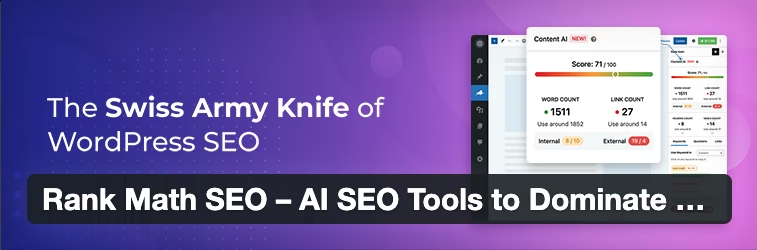
Rank Math is like having a personal SEO coach built right into your WordPress editor. It analyzes your posts in real-time, suggests improvements, and helps you optimize everything from your title tags to your content structure for better search engine visibility.
Why Travel Bloggers Need It
Remember that amazing post you wrote about avoiding tourist scams in Turkey? Without proper SEO, it’s like having the world’s best travel secret locked in a diary nobody can read. Rank Math helps your valuable travel advice get discovered by people who desperately need it – like that solo female traveler googling “is Turkey safe for women” at 2 AM!
Nicole’s Tip / My Experience
I switched to Rank Math from Yoast after reading countless recommendations, and wow – the difference in my search rankings was incredible. My solo travel safety tips post now ranks much higher than before and for more keywods.
Pros
- Comprehensive SEO analysis and suggestions
- Built-in keyword research tools
- Schema markup for rich snippets
- Social media optimization
- Completely free core features
- Most robust in free version comparing to the competition.
Cons
- Can be overwhelming for complete beginners
- Some advanced features require pro version
- Learning curve for all features
- May conflict with other SEO plugins
Ideal For
Great for: Serious about SEO, growing travel blogs, competitive niches.
Skip if: You’re just starting out or prefer ultra-simple solutions.
Free or Paid?
FREE with premium features starting at $59/year
Where to Get It
Site Kit by Google
What It Does
Site Kit connects your WordPress site directly to Google’s suite of tools – Analytics, Search Console, AdSense, and more – giving you insights into how people find and interact with your travel content, all from your WordPress dashboard.
Why Travel Bloggers Need It
Ever wondered which of your travel posts are actually performing? Site Kit shows you exactly which content is driving traffic, what search terms people use to find you, and which pages need improvement. It’s like having a crystal ball for your blog’s performance!
Nicole’s Tip / My Experience
This plugin helped me discover which of my blog posts were attracting a lot of traffic for searches I never expected. Now I create more targeted content based on actual data instead of guessing what readers want.
Pros
- Direct integration with Google services
- Real-time performance data
- Easy setup and management
- Free official Google plugin
- Mobile-friendly reporting
Cons
- Requires Google accounts setup
- Can be overwhelming with data
- Limited customisation options
- May slow down the admin dashboard slightly
Ideal For
Great for: Data-driven bloggers, Google ecosystem users, performance tracking enthusiasts.
Skip if: You prefer third-party analytics or minimal data tracking.
Free or Paid?
100% FREE
Where to Get It
Instant Indexing
What It Does
This plugin automatically notifies Google and Bing when you publish or update content, helping your new travel posts get discovered and indexed much faster than waiting for search engines to find them naturally.
Why Travel Bloggers Need It
Travel content can be time-sensitive – your “Spring in Europe destinations” post loses value if it doesn’t get indexed until summer! Instant Indexing ensures Google knows about your fresh content immediately, giving you a head start on ranking for those seasonal travel searches.
Nicole’s Tip / My Experience
I noticed my new posts were appearing in search results within hours instead of days after installing this. It’s particularly helpful for timely content like my Christmas markets guide that needed to rank quickly during the holiday season.
Pros
- Faster indexing of new content
- Works with Google and Bing
- Automatic submissions
- Free and lightweight
- Great for time-sensitive content
Cons
- Requires API setup with search engines
- Limited daily submission quotas
- Not necessary for established blogs
- May not work for all content types
Ideal For
Great for: New blogs, time-sensitive content, competitive keywords.
Skip if: Your site already gets crawled frequently, or you rarely publish new content.
Free or Paid? 100% FREE
Where to Get It
Link Whisper Free
What It Does
Link Whisper automatically suggests internal linking opportunities within your content, helping you connect related travel posts and keep readers exploring your blog longer. It’s like having a personal assistant who remembers every post you’ve ever written!
Why Travel Bloggers Need It
Travel content naturally interconnects – your Vienna itinerary should link to your Europe packing list, which connects to your solo travel safety tips. But remembering all these connections manually? Nearly impossible! Link Whisper finds these relationships automatically, improving your SEO and reader experience.
Nicole’s Tip / My Experience
This plugin helped me discover so many missed linking opportunities between my Turkey travel posts and European guides. Now, readers naturally flow from one helpful article to another, spending more time on my site and finding exactly what they need.
Pros
- Automatic internal link suggestions
- Improves site structure and SEO
- Keeps readers on your site longer
- Easy to implement suggestions
- Free version available
Cons
- Free version has limited features
- Can suggest irrelevant links occasionally
- Requires manual review of suggestions
- Pro features require a subscription
Ideal For
Great for: Established blogs with lots of content, SEO-focused bloggers, improving site structure.
Skip if: You’re just starting out or prefer manual linking.
Free or Paid?
FREE with pro features starting at $77/year
Where to Get It
Here’s the reality check: SEO isn’t about gaming the system – it’s about helping genuinely helpful content reach people who need it. When someone searches “solo female travel Turkey,” wouldn’t it be amazing if they found your authentic, experience-based advice instead of generic travel site fluff?
Start with Rank Math if you’re ready to get serious about SEO, or Site Kit if you want to understand your current performance first. Remember, good SEO is just good hospitality – making it easy for the right readers to find exactly what they’re looking for! 🎯
Security & Backup Plugins
Don’t lose your content or let spam flood your site. These plugins protect your blog behind the scenes.
Picture this nightmare scenario: You wake up to find your travel blog hacked, all your precious travel memories and guides gone, replaced with spammy content about questionable products. 😱 I’m getting anxiety just thinking about it!
Here’s something that happened to a blogger friend of mine: she lost three years of travel content because she thought “it won’t happen to me.” Spoiler alert: it did happen, and she had no backups. Don’t be that person!
Security might seem boring compared to designing beautiful travel layouts, but trust me – it’s like buying travel insurance. You hope you’ll never need it, but you’ll be incredibly grateful you have it when something goes wrong.
Akismet Anti-spam
What It Does
Akismet automatically filters spam comments and form submissions, keeping your blog comment section clean and professional. It works silently in the background, catching spam before it ever reaches your moderation queue.
Why Travel Bloggers Need It
Travel blogs attract spam like Turkish beaches attract tourists! You’ll get fake comments trying to sell everything from designer handbags to dubious travel services. Without spam protection, you’ll spend more time deleting garbage comments than responding to genuine readers who loved your Vienna coffee shop recommendations.
Nicole’s Tip / My Experience
I activated Akismet from day one after seeing other travel bloggers drowning in spam. It’s caught thousands of spam comments I never even knew existed – talk about working behind the scenes like a superhero!
Pros
- Extremely accurate spam detection
- Automatically moderates comments
- Protects contact forms too
- Official WordPress.com service
- Nearly zero false positives
Cons
- Requires API key registration
- Commercial sites need paid version
- Can occasionally catch legitimate comments
- May slow down comment processing slightly
Ideal For
Great for: All travel blogs with comments enabled, high-traffic sites, professional bloggers.
Skip if: You’ve disabled comments entirely or get minimal engagement.
Free or Paid?
FREE for personal blogs, $5/month for commercial sites
Where to Get It
WP Ghost Lite
What It Does
WP Ghost Lite provides essential security features like login protection, file monitoring, and basic firewall functionality to protect your travel blog from common attacks and unauthorised access attempts.
Why Travel Bloggers Need It
Your travel blog contains valuable content that hackers love to target – high-quality photos, engaged audiences, and SEO-optimised content they can exploit. WP Ghost acts like a digital security guard, monitoring for suspicious activity and blocking threats before they can cause damage.
Nicole’s Tip / My Experience
I installed this after reading horror stories about travel bloggers getting hacked right before peak travel season. The peace of mind is worth it – I can focus on creating content instead of worrying about security threats.
Pros
- Comprehensive security monitoring
- Easy setup and configuration
- Real-time threat detection
- Lightweight and fast
- Regular security updates
Cons
- Free version has limited features
- Some features require technical knowledge
- May block legitimate users occasionally
- Pro features need subscription
Ideal For
Great for: Security-conscious bloggers, sites with valuable content, growing traffic.
Skip if: You’re on managed hosting with built-in security or just starting out.
Free or Paid?
FREE with premium features available
Where to Get It
UpdraftPlus (Backup Solution)
What It Does
UpdraftPlus automatically backs up your entire WordPress site – content, images, themes, plugins, everything – to secure cloud storage locations. It’s like having a safety net for your entire digital travel journal.
Why Travel Bloggers Need It
Imagine losing all those carefully curated Turkey travel guides, your months of Prague itinerary research, and every gorgeous sunset photo you’ve ever uploaded. UpdraftPlus means you can restore everything with a few clicks if disaster strikes, whether it’s a hacked site, server crash, or that dreaded “update gone wrong.”
Nicole’s Tip / My Experience
I set up automated daily backups to Google Drive after hearing too many blogger horror stories. Knowing my travel memories and business are safe lets me sleep peacefully – especially when traveling and updating my blog from random WiFi connections!
Pros
- Automatic scheduled backups
- Multiple cloud storage options
- Easy one-click restoration
- Backs up everything including media
- Free version handles most needs
Cons
- Large sites may hit storage limits
- Restoration can be slow for big backups
- Some cloud storage requires paid accounts
- Advanced features need premium version
Ideal For
Great for: All serious travel bloggers, sites with lots of content, peace of mind seekers.
Skip if: Your hosting provider handles backups or you’re just testing WordPress.
Free or Paid?
FREE with premium features starting at $70/year
Where to Get It
Here’s my confession: I used to think security and backups were “future Nicole’s problem.” Then I heard about a travel blogger who lost everything when her hosting provider had a catastrophic failure. No backups, no recovery options – years of work just gone.
The lesson? Set up these plugins once, then forget about them. They’re like that reliable friend who always has your back – quietly protecting your digital travel empire so you can focus on what you do best: inspiring people to explore the world! 🛡️
Think of security as the foundation of your blogging house – not glamorous, but absolutely essential for everything else you want to build!
Email, Social & Engagement Plugins
Turn readers into subscribers, encourage shares, and build a connection with your audience.
Let’s be honest about something: creating amazing travel content is only half the battle. The other half? Actually connecting with readers and turning those one-time visitors into a community of travel enthusiasts who eagerly await your next adventure story!
I learned this the hard way when my early blog posts were getting decent traffic but zero engagement. People would read my Turkey travel tips and vanish into the internet void. No comments, no shares, no way to stay connected. It felt like shouting travel advice into an empty airport terminal! 😅
But here’s what changed everything: the right plugins transformed my blog from a lonely travel diary into a thriving community where readers actually engage, share, and come back for more.
MailerLite – Signup forms (official)
What It Does
MailerLite connects your WordPress site to your email marketing account, allowing you to create beautiful opt-in forms, automate welcome sequences, and build a list of engaged travel enthusiasts who actually want to hear from you.
Why Travel Bloggers Need It
Social media algorithms come and go, but email? That’s direct access to people who genuinely love your content. When you publish that epic solo female travel guide to Turkey, wouldn’t you want to tell your most devoted readers first? Email subscribers convert 40x better than social media followers according to McKinsey research.
Nicole’s Tip / My Experience
I wish I’d started building my email list from day one of Simplitty! Now my subscribers are informed about new content before anyone else. They also get access to my freebies.
Pros
- Beautiful, customizable opt-in forms
- Automated email sequences for new subscribers
- Detailed analytics and subscriber insights
- Mobile-responsive email templates
- Generous free plan
Cons
- Learning curve for automation features
- Some advanced features require paid plans
- Can be overwhelming for complete beginners
- Requires GDPR compliance setup
Ideal For:
Great for: Travel bloggers serious about building community, those ready to invest time in email marketing.
Skip if: You’re just starting out or prefer focusing solely on social media.
Free or Paid?
FREE up to 1,000 subscribers, then $9/month
Where to Get It:
MailerLite.com (integrates via plugin or API)
Social Warfare (Free or Pro)
What It Does
Social Warfare creates beautiful, customizable social sharing buttons that encourage readers to share your travel content across all major platforms. It’s like giving your readers a stylish toolkit to spread your wanderlust-inducing posts!
Why Travel Bloggers Need It
Your gorgeous sunset photo from Antalya or that perfect Prague itinerary deserves to be shared! Social shares boost your content’s reach organically – when someone shares your “Solo Female Travel Turkey” guide, their friends see it as a trusted recommendation, not an ad. Plus, social signals help with SEO rankings.
Nicole’s Tip / My Experience
I switched to Social Warfare after noticing my old social buttons looked clunky and didn’t match my pink and teal branding. The Pro version’s Pinterest optimization has been a game-changer for my travel photography – those shares drive traffic back to my destination guides!
Pros
- Clean, mobile-responsive design
- Customizable colors and placement
- Pinterest optimization features
- Social share count tracking
- Fast loading times
Cons
- Pro version needed for advanced features
- Requires some customization knowledge
- Limited free version functionality
- May need tweaking for different themes
Ideal For
Great for: Visual travel bloggers, Pinterest-focused content creators, established blogs wanting better social engagement.
Skip if: Your audience doesn’t share content socially or you’re just starting out.
Free or Paid?
FREE basic version, Pro starts at $29/year
Where to Get It
Ko-fi Button

What It Does
Ko-fi adds a simple “Buy Me a Coffee” button to your blog, allowing readers to support your travel adventures with small donations. Think of it as a digital tip jar for your helpful travel advice!
Why Travel Bloggers Need It
Creating detailed travel guides takes time and money – research trips, testing recommendations, hours of writing. Ko-fi lets grateful readers say “thanks” with a small contribution. I’ve received Ko-fi donations from people who saved money using my budget travel tips or avoided tourist traps thanks to my local insights.
Nicole’s Tip / My Experience
I added Ko-fi after readers kept asking how they could support my work beyond just reading. It’s been surprisingly heartwarming – receiving a coffee donation from someone whose solo Europe trip I helped plan felt incredible! Don’t be shy about it; if your content adds value, people genuinely want to support you.
Pros
- Quick and easy setup
- No monthly fees or commissions
- Integrates seamlessly with WordPress
- Mobile-friendly donation process
- Builds reader loyalty and connection
Cons
- Relies on reader generosity
- Income is unpredictable
- May feel awkward for introverted bloggers
- Requires audience trust and engagement
Ideal For
Great for: Established travel bloggers with engaged audiences, those offering valuable free resources.
Skip if: You’re uncomfortable with donations or have very low traffic.
Free or Paid?
FREE (Ko-fi takes 0% commission)
Where to Get It
Ko-fi.com (embed via widget or shortcode)
Grow for WordPress

What It Does
Grow for WP adds beautiful, conversion-optimized opt-in forms throughout your site – pop-ups, slide-ins, inline forms, and more. It’s specifically designed to grow your email list without being annoying about it.
Why Travel Bloggers Need It
Generic “subscribe to my newsletter” forms are boring and easy to ignore. Grow creates targeted opt-ins like “Get my FREE solo travel safety checklist” that actually make people stop and sign up. Smart timing means forms appear when readers are most engaged, not immediately when they land on your site (nobody likes aggressive pop-ups!).
Nicole’s Tip / My Experience
This plugin transformed my email signups! Instead of a basic sidebar form, I now offer my “Blog Post Planner + Ultimate Packing List” as a lead magnet. The targeted approach feels more helpful than pushy – readers get something valuable, and I get subscribers who are genuinely interested in my content.
Pros
- Beautiful, customizable form designs
- Smart display rules and timing
- A/B testing capabilities
- Detailed conversion analytics
- Mobile-optimized forms
Cons
- Can feel overwhelming with many options
- Requires strategy, not just installation
- May need design tweaking for your theme
- Advanced features require learning curve
Ideal For
Great for: Travel bloggers ready to seriously grow their email list, those with lead magnets or free resources to offer.
Skip if: You’re just starting out or haven’t created any subscriber incentives yet.
Free or Paid?
FREE with premium features available
Where to Get It:
Here’s something I wish someone had told me earlier: email marketing isn’t about bombarding people with promotional messages. It’s about building genuine relationships with fellow travel lovers who want to hear your stories, learn from your mistakes, and get inspired by your adventures.
Your email list becomes your travel blogging superpower – these are the people who’ll eagerly read your latest post about hidden gems in Turkey, share your solo travel tips for introverts, and even book trips based on your recommendations!
Design & Layout Plugins (Gutenberg-Friendly)
Beautify your blog using plugins that add design blocks and layout tools – great for Blocksy and Gutenberg lovers.
Remember when I first started blogging and my posts looked like boring walls of text? 😅 No featured images, no fancy layouts, just paragraph after paragraph of travel tips that probably put people to sleep faster than a long-haul flight!
The game-changer was discovering design plugins that work beautifully with Gutenberg (WordPress’s built-in editor) and my Blocksy theme. These tools transformed my plain travel posts into visually stunning guides that actually keep readers engaged from start to finish.
Here’s the thing about travel blogging: your content isn’t just competing with other blogs – it’s competing with Instagram, TikTok, and every other visually exciting platform out there. If your blog looks like it’s stuck in 2010, readers will bounce faster than you can say “solo travel tips”!
Blocksy Companion
What It Does
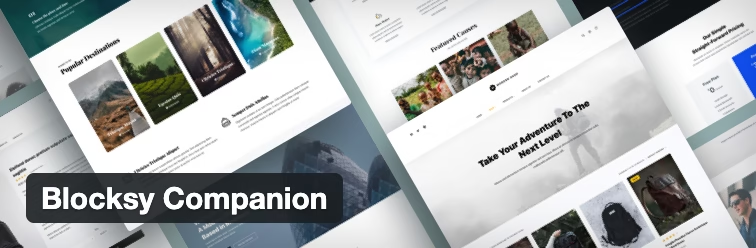
Blocksy Companion is the perfect partner for the Blocksy theme, adding advanced customisation options, additional header/footer layouts, premium blocks, and enhanced design features that make your travel blog look professionally designed.
Why Travel Bloggers Need It
If you’re using Blocksy (like I am!), this companion plugin unlocks the theme’s full potential. You get gorgeous header designs perfect for showcasing travel photography, advanced typography options to make your content more readable, and layout flexibility that lets you create unique page designs for different destinations.
Nicole’s Tip / My Experience
Switching to Blocksy + Companion was a total game-changer for Simplitty’s design! I went from a basic travel blog look to something that actually reflects my personality and brand colors. The header customization options let me create the perfect balance between my logo, navigation, and that pop of pink that makes my site memorable.
Pros
- Seamless integration with Blocksy theme
- Professional design elements
- Advanced customization options
- Regular updates and new features
- Excellent customer support
Cons
- Only works with Blocksy theme
- Some features require learning curve
- Premium features need subscription
- Can be overwhelming for beginners
Ideal For
Great for: Bloggers using Blocksy theme, those wanting professional design without hiring a developer.
Skip if: You’re using a different theme or prefer minimal design.
Free or Paid?
FREE with premium features starting at $49/year
Where to Get It
PostX
What It Does
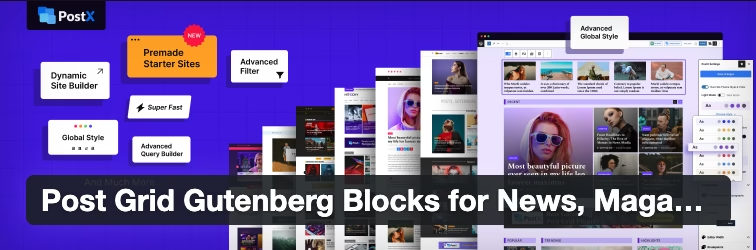
PostX transforms your blog posts with stunning post grids, carousels, timelines, and magazine-style layouts. It’s like having a professional web designer create custom layouts for showcasing your travel content in eye-catching ways.
Why Travel Bloggers Need It
Travel content is inherently visual – your readers want to see destinations, not just read about them. PostX lets you create beautiful post grids showcasing your latest adventures, carousel displays of destination guides, or timeline layouts perfect for itineraries. It makes your homepage and category pages look like professional travel magazines!
Nicole’s Tip / My Experience
I still don’t use it’s full potential. Currently, you can see the latest posts grid on the home page which in my opinion looks very attractive. I plan to use PostX to create stunning destination galleries and category pages. Instead of boring lists of recent posts, visitors will see beautiful grid layouts with hover effects that showcase my travel photography.
Pros
- Multiple beautiful layout options
- Mobile-responsive designs
- Easy drag-and-drop customization
- Fast loading times
- Works with any theme
Cons
- Learning curve for advanced layouts
- Some premium features cost extra
- Can slow down site if overused
- Requires regular updates
Ideal For
Great for: Visual travel bloggers, those wanting magazine-style layouts, blogs with lots of destination content.
Skip if: You prefer simple, text-focused designs or are just starting out.
Free or Paid?
FREE with premium features available
Where to Get It
Stackable
What It Does
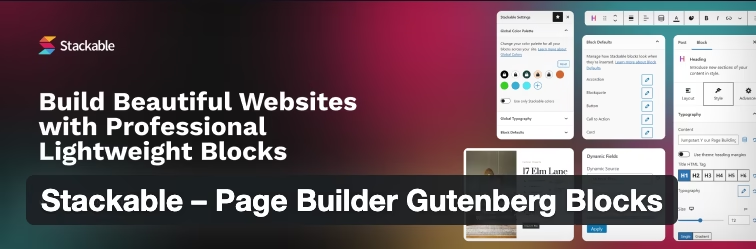
Stackable adds powerful design blocks to Gutenberg, giving you professional page layouts, advanced typography, stunning call-to-action sections, and visual elements that make your travel blog stand out from the crowd.
Why Travel Bloggers Need It
Your travel stories deserve better presentation than basic text blocks! Stackable lets you create stunning feature sections for destinations, beautiful testimonial displays for your travel services, and eye-catching call-to-action areas that encourage newsletter signups or affiliate link clicks. It’s like having a professional designer’s toolkit built into WordPress.
Nicole’s Tip / My Experience
Stackable helped me create those gorgeous feature section you see on Simplitty’s homepage – aesthetic cards showcasing main topics. About the author section or featured post… I was all designed with Stackable. The advanced button designs have definitely improved my email signup rates, too!
Pros
- Extensive block library
- Professional design templates
- Mobile-responsive layouts
- Compatible with all themes
- Regular new block additions
Cons
- Can be overwhelming for beginners
- Premium features require subscription
- Learning curve for advanced customization
- May conflict with some themes
Ideal For
Great for: Travel bloggers wanting professional design flexibility, those comfortable with Gutenberg editor, content creators needing diverse layouts.
Skip if: You prefer simple designs or find block editors confusing.
Free or Paid?
FREE with premium features starting at $99/year
Where to Get It:
WPForms Lite
What It Does
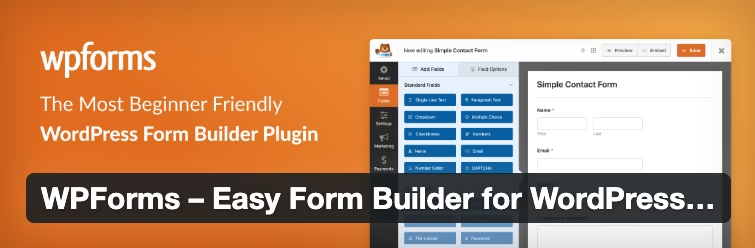
WPForms creates beautiful, mobile-responsive contact forms, survey forms, and feedback forms that actually encourage people to reach out. It’s the difference between a boring “Contact Me” page and an inviting way for readers to connect with you.
Why Travel Bloggers Need It
Your readers have questions! “Is Turkey safe for solo females?” “What’s your recommended Vienna itinerary?” “Can you help plan my Europe trip?” A well-designed contact form makes it easy for people to reach out, leading to amazing reader connections, potential collaboration opportunities, and even travel consulting requests.
Nicole’s Tip / My Experience
I replaced my generic contact form with a WPForms creation that is functional and clean. Plus, the spam filtering saves me from wading through fake messages!
Pros
- Drag-and-drop form builder
- Beautiful, mobile-responsive forms
- Built-in spam protection
- Email notifications and autoresponders
- Integrates with email marketing services
Cons
- Advanced features need premium version
- Limited styling options in free version
- Can look generic without customization
- May require CSS knowledge for advanced styling
Ideal For
Great for: All travel bloggers wanting reader connection, those offering travel consulting, blogs needing better contact solutions.
Skip if: You prefer social media only communication or get very little reader interaction.
Free or Paid?
FREE with premium features starting at $39.50/year
Where to Get It
Here’s my honest confession: I used to think fancy layouts and design elements were just “nice to have” extras. But when I started paying attention to my Google Analytics, I realized that posts with better visual presentation kept readers on my site 3x longer!
Your travel stories and destination guides deserve to look as amazing as the places you’re writing about. These design plugins aren’t just about making things pretty – they’re about creating an experience that matches the wanderlust you’re inspiring in your readers! ✨
Admin & Monetization Plugins
Helpful tools to manage your site, track links, and start monetizing your blog with affiliate links or downloads.
Let’s talk about the behind-the-scenes magic that keeps your travel blog running smoothly and potentially earning you some coffee money (or travel fund contributions!). These are the plugins working quietly in your WordPress admin area, making your blogging life easier and helping you turn your passion into profit.
I’ll be honest – when I first started Simplitty, I thought monetization plugins were only for “big” bloggers with thousands of followers. Spoiler alert: I was completely wrong! Even small travel blogs can benefit from proper link management and basic monetization tools. The key is starting simple and growing strategically.
Redirection

What It Does
Redirection manages 404 errors and URL redirects, automatically fixing broken links and redirecting old URLs to new ones. It’s like having a helpful assistant that ensures visitors never hit dead ends on your travel blog.
Why Travel Bloggers Need It
Travel blogs evolve constantly – you’ll update post URLs for better SEO, reorganize categories, or merge similar content. Without proper redirects, old links become 404 errors that hurt your SEO and frustrate readers. Redirection keeps everything flowing smoothly, even when you’re restructuring your entire Europe travel section.
Nicole’s Tip / My Experience
This plugin saved me when I reorganized my entire site structure! Yep, at the beginning Simplitty was a lifestyle blog with way too many subniches, like beauty and home for example. I had old URLs scattered across Pinterest, social media, and other blogs linking to my content. Redirection ensured visitors still found my posts even after I changed URLs for better SEO optimization.
Pros
- Automatic 404 error detection
- Easy URL redirect management
- Detailed logs and monitoring
- Bulk redirect options
- SEO-friendly redirect codes
Cons
- Can be overwhelming for beginners
- Detailed logs use database space
- Requires understanding of redirect types
- May slow down admin area with lots of data
Ideal For
Great for: Travel bloggers who update content regularly, those restructuring sites, anyone concerned about SEO and user experience.
Skip if: Your blog is brand new with minimal content changes.
Free or Paid?
Completely FREE.
Where to Get It:
PrettyLinks
What It Does
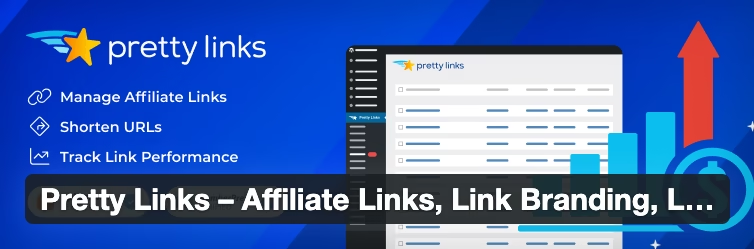
PrettyLinks transforms ugly affiliate URLs into clean, branded links that look professional and trustworthy. Instead of “amazon.com/ref=sr_1_1?keywords=travel-backpack&qid=1234567890“, you get “simplitty.com/travel-backpack” – much better, right?
Why Travel Bloggers Need It
Nobody wants to click on suspicious-looking affiliate links full of random numbers and parameters. Pretty links build trust, look professional in your content, and provide valuable click tracking data. Plus, if you ever need to change an affiliate program, you only update the redirect – not every mention across your entire blog!
Nicole’s Tip / My Experience
Game-changer for my travel packing recommendations! Instead of scary-long affiliate links, I use clean URLs like “simplitty.com/travel-backpack” for example, that readers actually trust and click. The click tracking helps me understand which products my audience loves most.
Pros
- Clean, professional-looking links
- Detailed click tracking and analytics
- Easy link management and updates
- Cloaks affiliate relationships appropriately
- Works with all affiliate programs
Cons
- Free version has limited features
- Requires understanding of affiliate disclosure rules
- Can hide link destinations (transparency concerns)
- May need premium for advanced features
Ideal For
Great for: Travel bloggers using affiliate marketing, those wanting professional-looking links, anyone tracking click performance.
Skip if: You don’t use affiliate links or prefer full transparency in URLs.
Free or Paid?
FREE with premium features starting at $79/year
Where to Get It
Header Footer Code Manager
What It Does
This plugin lets you easily add code snippets to your site’s header, footer, or specific pages without editing theme files. Perfect for adding Google Analytics, Pinterest verification, or affiliate program tracking codes safely.
Why Travel Bloggers Need It
Travel blogs need various tracking codes – Google Analytics for traffic insights, Pinterest verification for rich pins, affiliate network pixels for commission tracking. This plugin keeps all those code snippets organized and safe, even when you update your theme or WordPress.
Nicole’s Tip / My Experience
Before finding this plugin, I was terrified of adding tracking codes directly to theme files (one mistake could break my entire site!). Now I can easily manage all my verification codes, analytics snippets, and affiliate tracking without fear. It’s especially helpful for seasonal promotions or testing new affiliate programs.
Pros
- Safe code management without theme editing
- Organize snippets by location or purpose
- Won’t lose codes during theme updates
- Easy enable/disable for testing
- Beginner-friendly interface
Cons
- Requires basic understanding of HTML/JavaScript
- Can’t preview code effects before saving
- Too many snippets may slow site loading
- Potential conflicts with some themes
Ideal For
Great for: Travel bloggers using multiple tracking services, those frequently testing new tools, anyone wanting organized code management.
Skip if: You use minimal tracking or prefer developer-managed solutions.
Free or Paid?
Completely FREE.
Where to Get It
Ivory Search

What It Does
Ivory Search enhances WordPress’s default search functionality, making it easier for readers to find specific travel destinations, guides, or topics across your blog content.
Why Travel Bloggers Need It
Travel blogs accumulate tons of content – destination guides, packing lists, budget tips, safety advice. When someone searches for “Turkey solo travel,” you want them to find ALL your relevant Turkey content, not just random results. Better search keeps readers on your site longer and helps them discover more of your valuable content.
Nicole’s Tip / My Experience
I noticed readers were struggling to find specific destination information using my default WordPress search. After installing Ivory Search, people started discovering older posts they’d never seen before, leading to longer site visits and more page views per session.
Pros
- Improved search relevance and accuracy
- Customizable search options
- Can include/exclude specific content types
- Better user experience
- Easy setup and configuration
Cons
- May slow down search queries slightly
- Advanced features require configuration knowledge
- Can be overkill for small blogs
- Some customization needs CSS knowledge
Ideal For
Great for: Travel blogs with lots of content, sites where search is heavily used, bloggers wanting better user experience.
Skip if: Your blog is small or readers primarily browse by categories/tags.
Free or Paid?
Completely FREE
Where to Get It
wpDiscuz
What It Does
wpDiscuz replaces WordPress’s basic comment system with a modern, engaging discussion platform featuring threaded conversations, voting, and social media integration.
Why Travel Bloggers Need It
Travel content sparks conversations! Readers want to share their own experiences, ask follow-up questions, and connect with fellow travelers. wpDiscuz makes commenting more engaging and social, encouraging the kind of community interaction that keeps people coming back to your blog.
Nicole’s Tip / My Experience
The threaded conversation feature has been amazing for my solo travel guides – readers can respond directly to specific advice or questions, creating helpful mini-discussions that add value for everyone. It feels more like a travel community than just a blog!
Pros
- Modern, social media-style commenting
- Threaded conversations and replies
- Voting and reaction features
- Mobile-responsive design
- Social media integration
Cons
- Learning curve for customization
- May overwhelm readers used to simple comments
- Some features require premium version
- Can conflict with some themes
Ideal For
Great for: Travel bloggers wanting community engagement, sites with active comment sections, those seeking social media-style interaction.
Skip if: You get minimal comments or prefer simple discussion formats.
Free or Paid?
FREE with premium add-ons available
Where to Get It
Download Monitor (Optional)
What It Does
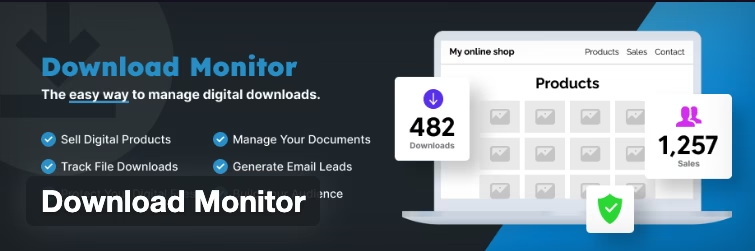
Download Monitor manages file downloads on your blog, providing detailed analytics on who’s downloading your travel guides, checklists, or other digital resources.
Why Travel Bloggers Need It
If you offer free resources like packing checklists, itinerary templates, or destination guides as PDF downloads, this plugin tracks downloads, protects files from direct access, and provides valuable insights about which resources your readers love most.
Nicole’s Tip / My Experience
I use this for my lead magnets and free travel resources. It’s incredibly helpful to know which guides are most popular and provides great data for creating more valuable content that readers actually want.
Pros
- Detailed download tracking and analytics
- File access protection
- Customizable download buttons
- Version control for updated files
- Integration with email marketing
Cons
- Overkill if you don’t offer downloads
- Requires setup and configuration
- May add complexity for simple needs
- Some advanced features need premium version
Ideal For
Great for: Travel bloggers offering digital resources, those building email lists with lead magnets, content creators tracking resource popularity.
Skip if: You don’t offer downloadable content or prefer simple file hosting.
Free or Paid?
FREE with premium features available
Where to Get It
Here’s something I learned the hard way: monetization isn’t just about making money – it’s about building systems that help you create better content and serve your readers more effectively. When you can track which resources people love most, which links they click, and how they navigate your site, you make smarter decisions about what content to create next.
Start simple with one or two of these plugins, then add more as your blog grows and your needs become clearer. Trust me, future you will thank present you for setting up these foundational tools early! 💪
How to Choose the Right Plugins for Your Travel Blog
Okay, let’s get real for a moment. I know I just threw a LOT of plugin recommendations at you, and if you’re anything like me when I first started, you’re probably thinking: “Should I install ALL of these right now?”
The answer is a resounding NO! 😅
Here’s the thing I wish someone had told me when I was drowning in plugin overwhelm: more plugins don’t equal a better blog. In fact, the opposite is often true. Too many plugins can slow down your site, create conflicts, and turn your WordPress admin into a confusing maze of options.
Let me share my hard-earned wisdom about choosing plugins strategically:
Keep It Lightweight – Don’t Install Everything at Once
When I first discovered the world of WordPress plugins, I went absolutely crazy. Security plugin? Yes! SEO plugin? Obviously! Social sharing? Must have! Beautiful design blocks? All of them! Email marketing? Why not three different ones!
The result? My site loaded slower than my grandma’s dial-up internet, and I spent more time managing plugins than actually writing about travel. Learn from my mistakes!
My Rule: Start with 5-7 essential plugins maximum, then add others only when you have a specific need.
Prioritize: Start with SEO, Image Optimization, and Social Sharing
If you can only install three types of plugins right now, choose these:
- SEO (RankMath or Yoast) – Because what’s the point of amazing content if nobody can find it?
- Image Optimization (ShortPixel or Smush) – Travel websites are image-heavy, and fast loading = happy readers
- Social Sharing (Social Warfare) – Make it easy for people to spread your wanderlust-inducing content
Everything else can wait until you’re more established and understand your specific needs better.
Watch for Conflicts or Slowdowns
Here’s a lesson I learned after my site mysteriously started loading super slowly: some plugins don’t play nicely together. When you install multiple plugins that do similar things (like three different SEO plugins – yes, I actually did this!), they can conflict and cause problems.
Warning Signs to Watch For:
- Site loading slower than usual
- Error messages in your WordPress admin
- Features not working as expected
- Increased memory usage warnings
Pro Tip: Use a tool like GTmetrix or Google PageSpeed Insights to test your site speed before and after installing new plugins.
Test Plugins One by One
I used to install five plugins at once, then wonder why something wasn’t working properly. Now I install one plugin, test it thoroughly, make sure everything still works, and only then move on to the next one.
This approach takes longer initially, but it saves SO much troubleshooting time later. Plus, if something breaks, you’ll know exactly which plugin caused the issue.
Stick to Tools That Match Your Workflow and Comfort Level
Just because a plugin is “the best” doesn’t mean it’s best for YOU. I tried switching to some highly-rated plugins that were clearly designed for developers, not bloggers like me who break out in a cold sweat at the sight of code.
Choose plugins that:
- Feel intuitive to you personally
- Match your technical comfort level
- Fit your actual workflow (not your ideal fantasy workflow)
- Have good support and documentation
Remember: the best plugin is the one you’ll actually use consistently!
My Personal Plugin Evolution Timeline
To give you a realistic perspective, here’s how I’d gradually built up my plugin collection:
Month 1-2: RankMath (SEO), Smush (images), Akismet (spam protection)
Month 3-4: Add Social Warfare (sharing), UpdraftPlus (backups)
Month 6: Introduce MailerLite integration, basic contact form
Month 12: Add design plugins (Stackable, PostX) as my content strategy matured
Year 2: Monetization tools (PrettyLinks) as affiliate opportunities grew
Notice how it was a gradual build-up based on actual needs, not a plugin installation marathon!
Final Thoughts
After more than two years of building Simplitty and testing more plugins than I care to admit (some spectacular failures included!), here are the plugins I personally use and genuinely recommend:
My Current Essential Stack:
- RankMath for SEO (switched from Yoast and never looked back)
- Smush for image optimization (my Turkey sunset photos load lightning-fast now!)
- Social Warfare Pro for social sharing (the Pinterest optimization alone pays for itself)
- UpdraftPlus for backups (peace of mind is priceless)
- Blocksy Companion and Stackable for beautiful layouts
- MailerLite integration for email list building
- PrettyLinks for affiliate link management
Here’s what I’ve learned: the “perfect” plugin setup doesn’t exist. What works for my solo female travel blog might be completely wrong for your adventure photography blog or budget backpacking site. The key is starting simple, growing thoughtfully, and always prioritizing your readers’ experience over having the “latest and greatest” tools.
A Personal Request: I’d love to hear about your plugin journey! Drop a comment below and tell me:
- Which plugin has been your biggest game-changer?
- Are you struggling with any specific functionality on your travel blog?
Your questions and experiences help me create better content for our little community of travel bloggers! 💕
Quick Note About Affiliate Links: Some links in this post are affiliate links, which means I earn a small commission if you purchase through them (at no extra cost to you). I only recommend tools I personally use and genuinely believe in. These commissions help fund my travels and keep Simplitty running – so thank you for supporting independent travel blogging!
Ready to dive deeper into travel blogging? Check out my complete guide to starting a travel blog or join my email list for blogging tips!
FAQ
-
How many plugins is too many for a travel blog?
There’s no magic number, but I recommend starting with 5-7 essential plugins and adding more only as needed. Quality over quantity! I currently run about 15 plugins on Simplitty, but I built up to that over two years based on actual needs, not wishful thinking.
-
Will these plugins slow down my website?
Well-coded plugins shouldn’t significantly impact your site speed, but poorly optimized ones definitely can. Always test your site speed before and after installing new plugins using tools like GTmetrix. If a plugin slows your site noticeably, consider alternatives or whether you really need that functionality.
-
Can I use these plugins with any WordPress theme?
Most plugins work with any theme, but some (like Blocksy Companion) are theme-specific. Always check plugin compatibility before installing, and test thoroughly. When in doubt, contact the plugin developer or your theme support team.
-
Should I go for free versions or upgrade to premium immediately?
Start with free versions to test functionality and see if you actually use the features. Only upgrade to premium when you’ve outgrown the free version’s capabilities or need specific advanced features. Don’t pay for features you’ll never use!
-
What if a plugin breaks my site?
First, don’t panic! Deactivate the problematic plugin through your WordPress admin or via FTP. If you can’t access your admin, contact your hosting provider – they can help deactivate plugins. This is exactly why having a backup plugin like UpdraftPlus is crucial!
-
How do I know which plugins are trustworthy?
Look for plugins with high ratings, recent updates, good support records, and thousands of active installations. Avoid plugins that haven’t been updated in over a year or have consistently poor reviews. When in doubt, ask in WordPress communities or Facebook groups for recommendations.
-
Can I switch plugins later if I don’t like my choice?
Absolutely! Most plugins can be safely deactivated and replaced with alternatives. However, some plugins (especially SEO and design plugins) may require some cleanup work when switching. Always backup your site before making major plugin changes.
-
Do I need coding knowledge to use these plugins?
Not at all! I selected these plugins specifically because they’re beginner-friendly. Most use intuitive dashboards and visual builders. That said, basic HTML knowledge can be helpful for customization, but it’s not required to get started and see results.
Book Your Trip with These Resources
Here are my go-to resources for planning a seamless and stress-free trip. I personally use these services and highly recommend them.
Flights and Transportation
- Skyscanner – Best for finding cheap flights worldwide.
- Kayak – Ideal for comparing multiple travel sites at once.
- Rome2Rio – A fantastic tool for planning multi-modal transportation routes.
Accommodation
- Booking.com – Best rates for hotels and guesthouses.
- Agoda – Best rates for hotels.
- Hostelworld – Perfect for budget travelers and solo adventurers.
- Airbnb – Great for unique stays and long-term rentals.
- HotelTonight – Awesome for last-minute hotel deals.
Travel Insurance
- SafetyWing – Comprehensive coverage for all travelers.
Trip Planning and Activities
- Get Your Guide – Find tours, skip-the-line tickets, and local experiences.
- Klook – Book tours, tickets, and activities at your destination.
Helpful Tools
- Google Translate – Break language barriers while traveling.
- SurfShark VPN – Stay safely connected wherever you go.
Don’t Forget to Read
Affiliate Disclosure: Some links above are affiliate links, meaning I earn a small commission if you purchase through them at no extra cost to you. These help me keep the blog running, so thank you for your support!